
Appearance
Fiscal years and periods
A fiscal year is your financial year, for example 1 January to 31 December 2026. Each year is divided into accounting periods, usually one per month. Kipdesky only posts a journal when an open period covers its posting date, so periods must exist before anything can be posted.
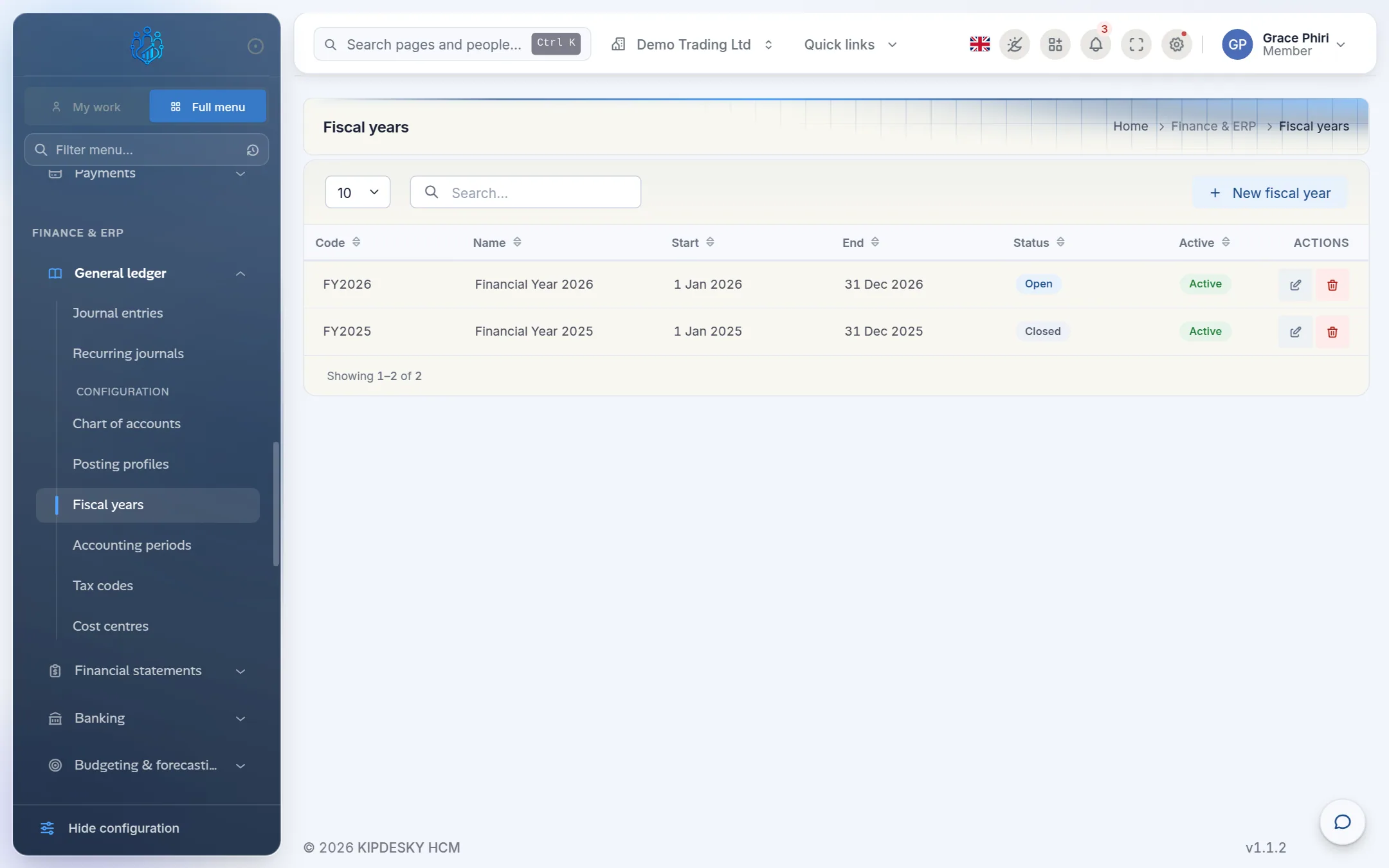
Both pages are under Finance & ERP › General ledger as configuration pages: Fiscal years and Accounting periods.
Create a fiscal year
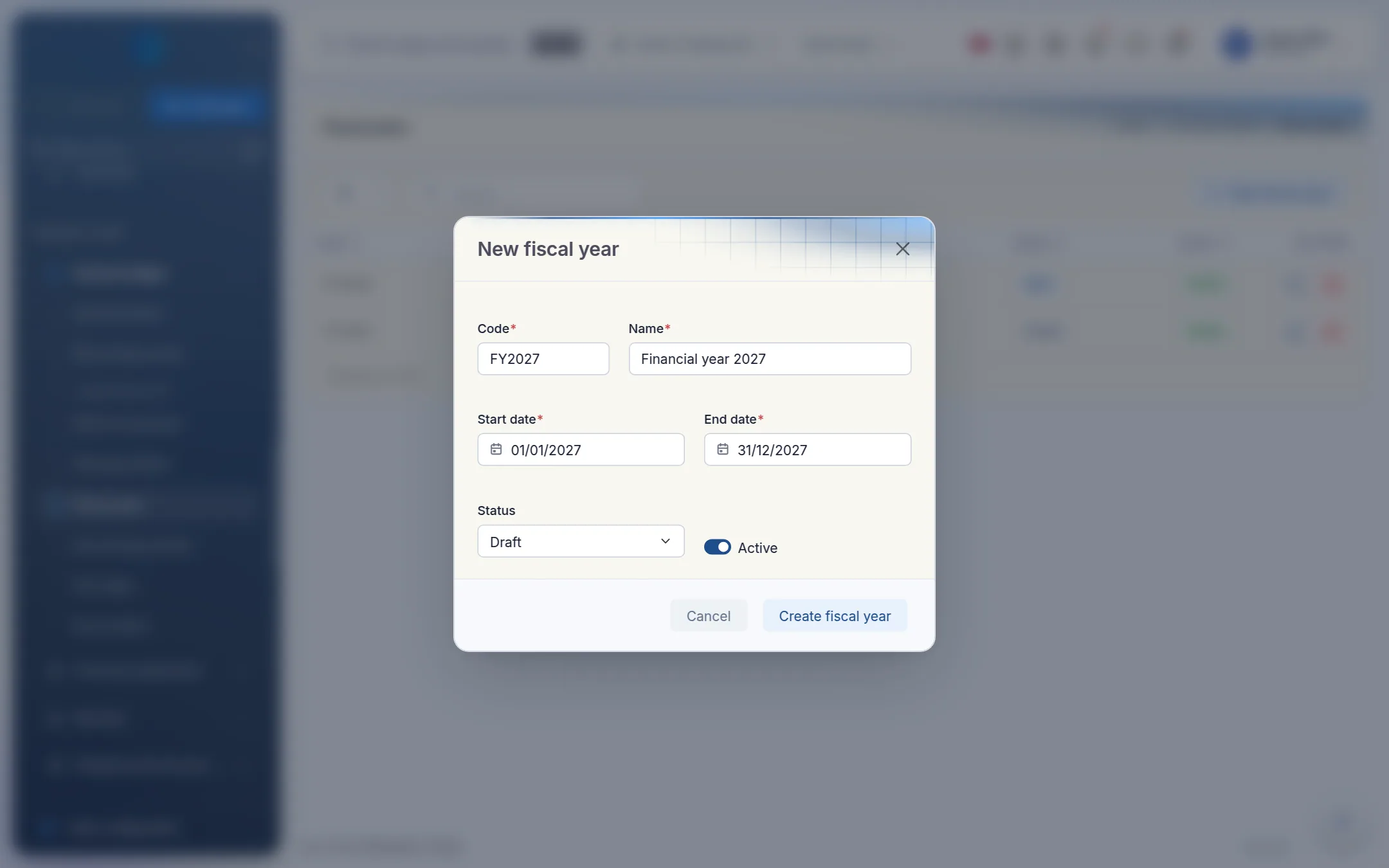
Open Fiscal years and click New fiscal year.
Enter:
- Code: for example
FY2027. It can't be changed later. - Name: for example Financial year 2027.
- Start date and End date: the first and last day of the year. The end date must be on or after the start date.
- Code: for example
Set Status to Open when you're ready to use the year, and leave Active on.
Click Create fiscal year.
Create accounting periods
Create one period for each month of the year. You can't add a period until its fiscal year exists.
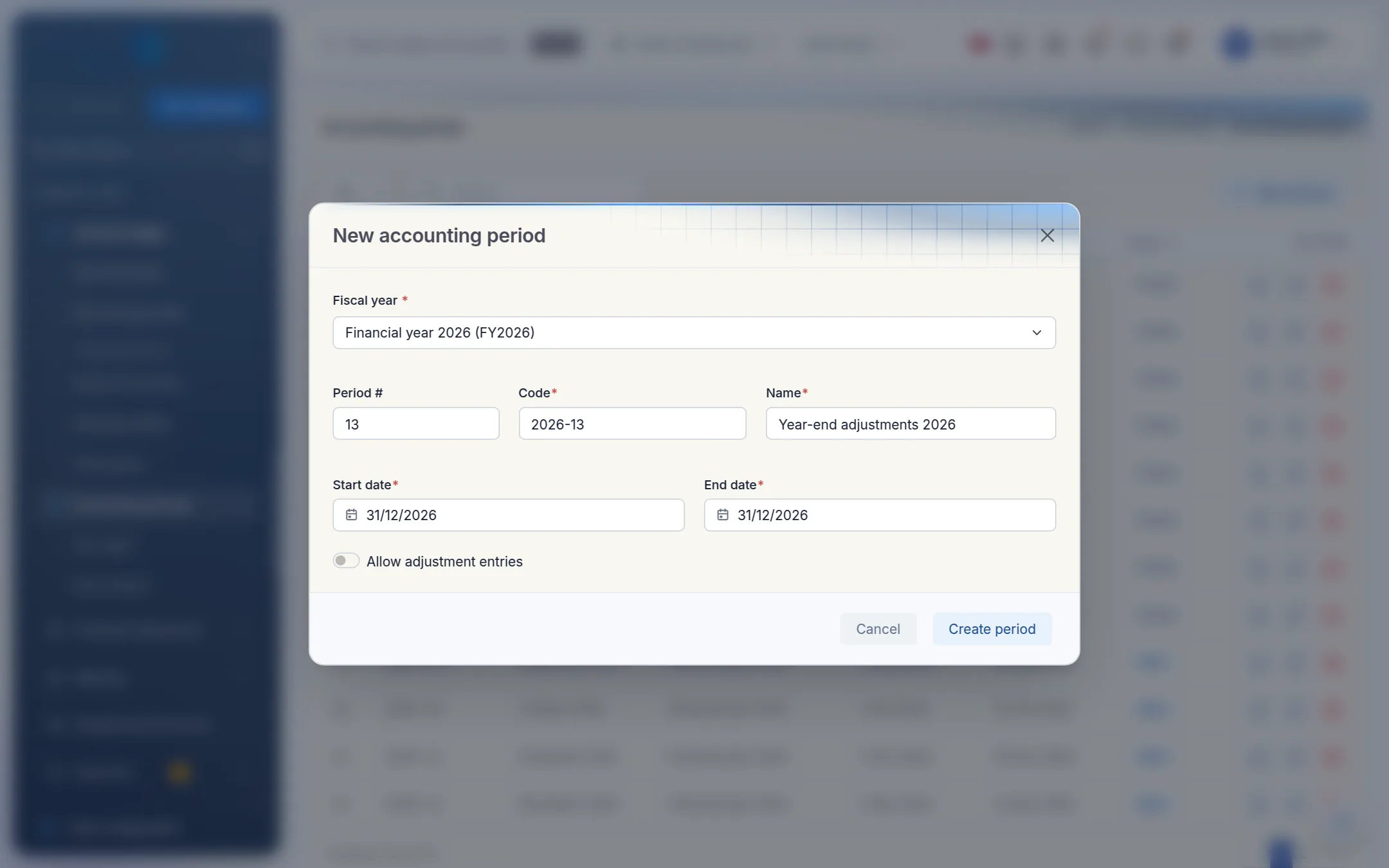
Open Accounting periods and click New period.
Fill in the form:
- Fiscal year: the year the period belongs to.
- Period #: 1 for the first month, 2 for the second, and so on.
- Code: for example
2027-01. It can't be changed later. - Name: for example January 2027.
- Start date and End date: the period must fall inside its fiscal year.
- Allow adjustment entries: switch on if you want this period to accept adjustments.
Click Create period. New periods always start as Open.
Repeat for each month.
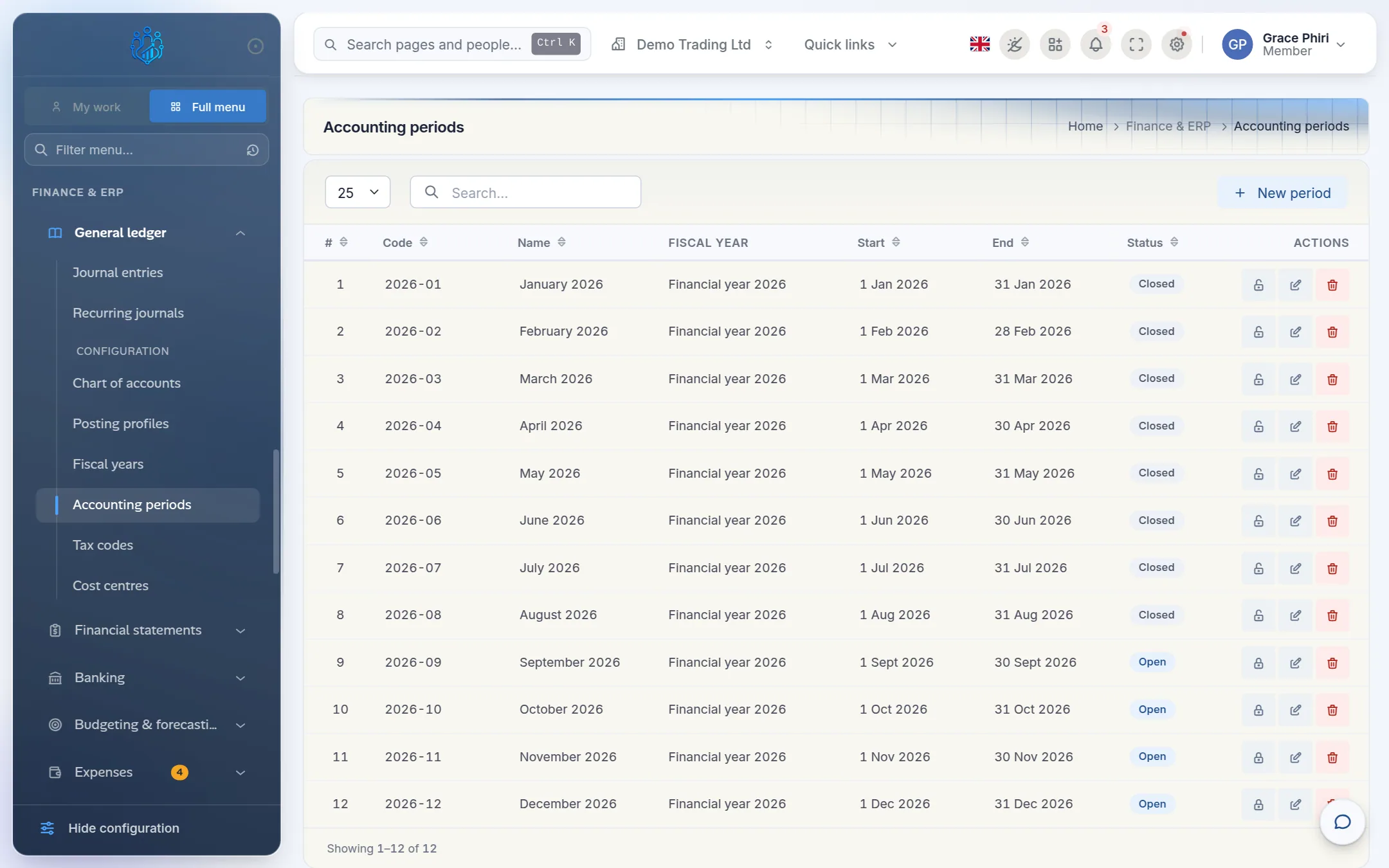
The lock icon on each row closes the period, and the unlock icon reopens it. Both are covered in Closing a period.
A year-end adjustments period
Some companies add a 13th period dated on the last day of the year, for example Year-end adjustments 2026. Audit adjustments can then be posted after the December period is closed.
Changing or deleting a period
- You can change a period's dates only while it's open and has no posted entries.
- You can delete a period only while it's open and empty.
- A closed period can't be edited at all. Reopen it first.
If you try otherwise, Kipdesky explains why, for example "Accounting period has posted journal entries. Reverse them before editing the period dates."
Tips and common mistakes
- Gaps between periods. If no period covers a date, journals dated that day can't be posted ("No accounting period covers…"). Make sure each period starts the day after the previous one ends.
- Creating only the current month. Create the whole year at once, so recurring journals and payroll for later months aren't blocked.
- Overlapping periods. Each date should belong to exactly one period.
- Leaving last year open. Close the old year's periods once the year-end audit is done, so nothing is posted into it by mistake.
FAQs
Does closing a fiscal year post retained earnings?
No. Fiscal year status is for your reference only. Kipdesky doesn't run a year-end close or post a retained-earnings entry automatically. The balance sheet shows the current year's profit as Retained earnings (YTD). Post any year-end transfer as a normal journal.
Our financial year runs from July to June. Is that supported?
Yes. Enter whatever start and end dates your year uses, for example 1 July 2026 to 30 June 2027, and create periods to match.
I set a new period's status to Closed, but it was created as Open.
That's expected. New periods are always created open. Close them with the lock icon, which runs the close checklist first.