
Appearance
Closing a period
Closing an accounting period locks it, so nothing more can be posted into it. Close each month once its figures are final, so reports for that month can't change afterwards. Before it closes a period, Kipdesky runs a checklist and refuses if anything is unfinished.
Month-end routine
Work through this list before you close the month:
- Generate and post recurring journals for the month. See Recurring journals.
- Post or cancel every draft journal dated in the month.
- Post accruals and adjustments, such as unpaid invoices, depreciation and prepayments.
- Reconcile every active bank account to a statement dated on or after the last day of the month, and get each reconciliation approved. See Bank reconciliation.
- Check the trial balance for the month. It should say "Debits and credits agree."
- Review the income statement and balance sheet.
- Close the period.
Close the period
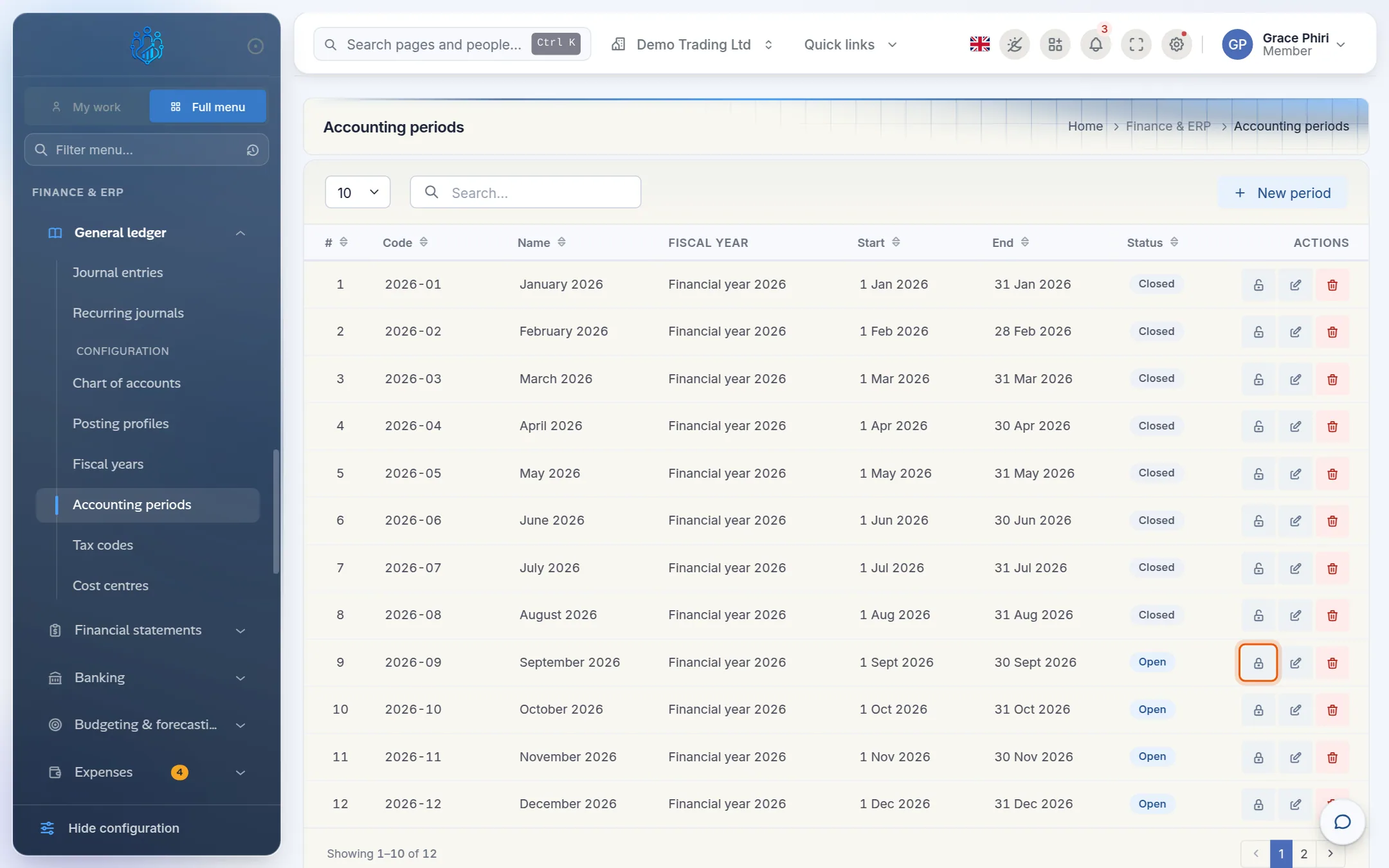
Open Finance & ERP › General ledger › Accounting periods (a configuration page).
Find the month and click its lock icon, Close period.
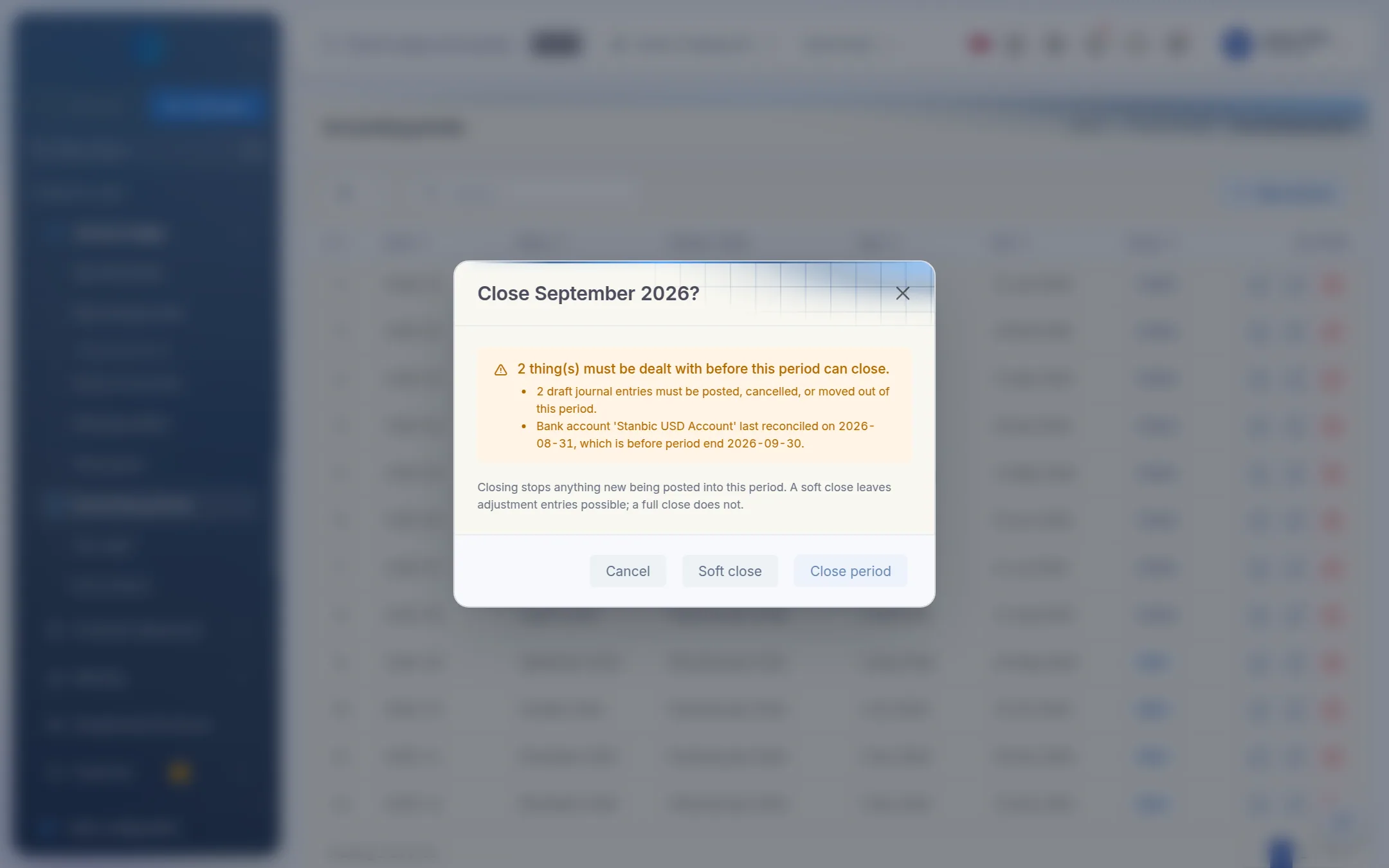
Kipdesky runs the close checklist. If anything is blocking the close, it's listed with what to do about it, and Close period is unavailable.
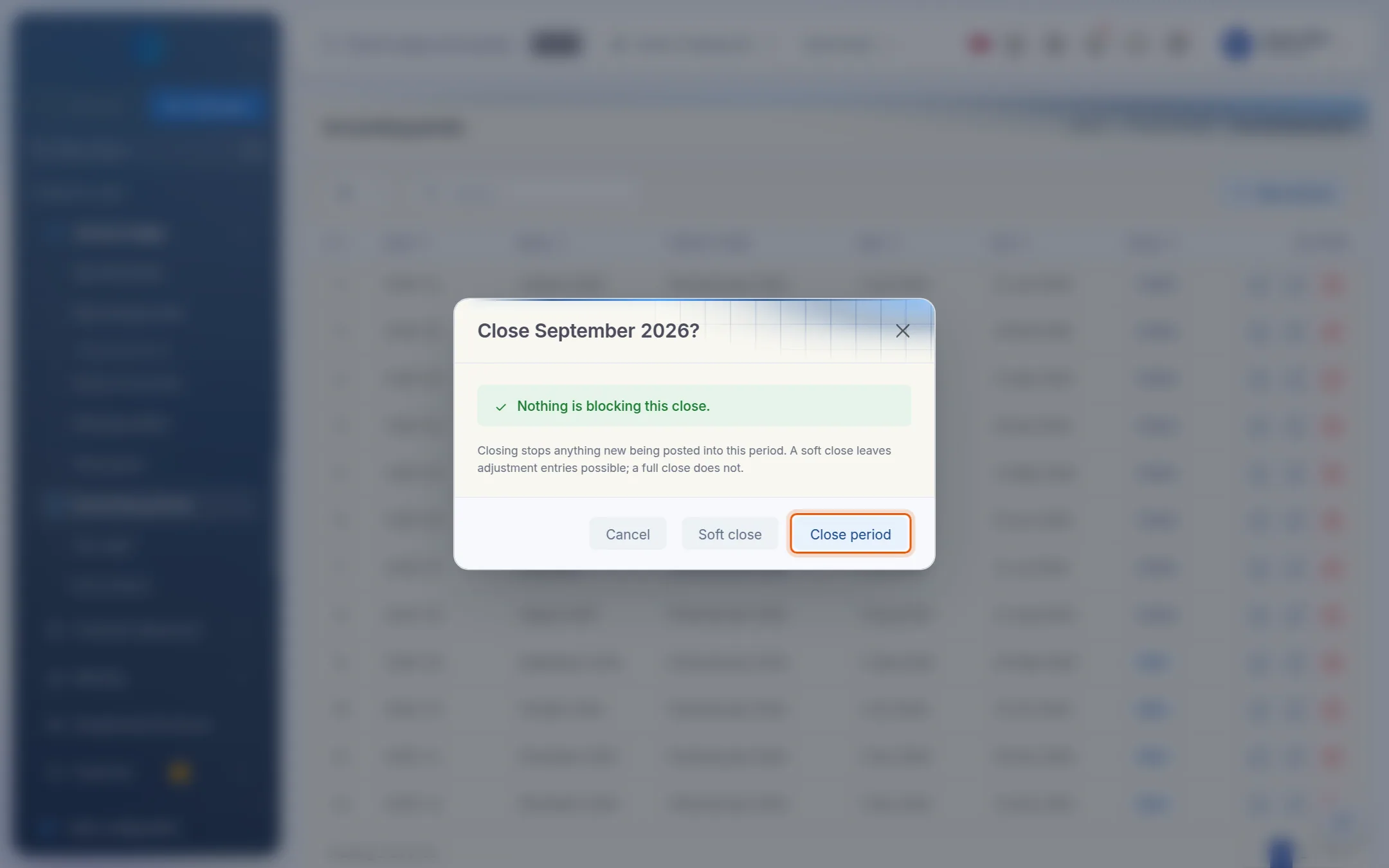
Deal with each blocker, then click the lock icon again. When the dialog says Nothing is blocking this close, click Close period.
The period's status changes to Closed. Journals dated in it can no longer be posted.
What the checklist checks
| Blocker | How to fix it |
|---|---|
| Draft journal entries must be posted, cancelled, or moved out of this period | Open Journal entries, filter by the period's dates and status Draft, then post, cancel or re-date each one. |
| Posted entry … is unbalanced | A posted entry doesn't balance. Contact support with the entry number. |
| Bank account … has no reconciliation covering this period | Reconcile that account to a statement dated on or after the period end. |
| … last reconciled on [date], which is before period end | The latest reconciliation is too early. Reconcile to the period end. |
| … its status is 'draft', not 'approved' | Get the reconciliation submitted and approved. |
Soft close
Soft close is a halfway step, offered in the close dialog. A soft-closed period:
- refuses ordinary journals and everything posted automatically: payroll, invoices, fuel and so on
- still accepts journals of type Adjustment, but only if the period's Allow adjustment entries switch is on.
Use it when the month's trading is finished but accountants still need to post accruals or audit adjustments. When they're done, close the period fully.
Reopen a period
If something must be posted into a closed month, for example an audit adjustment, the period can be reopened.
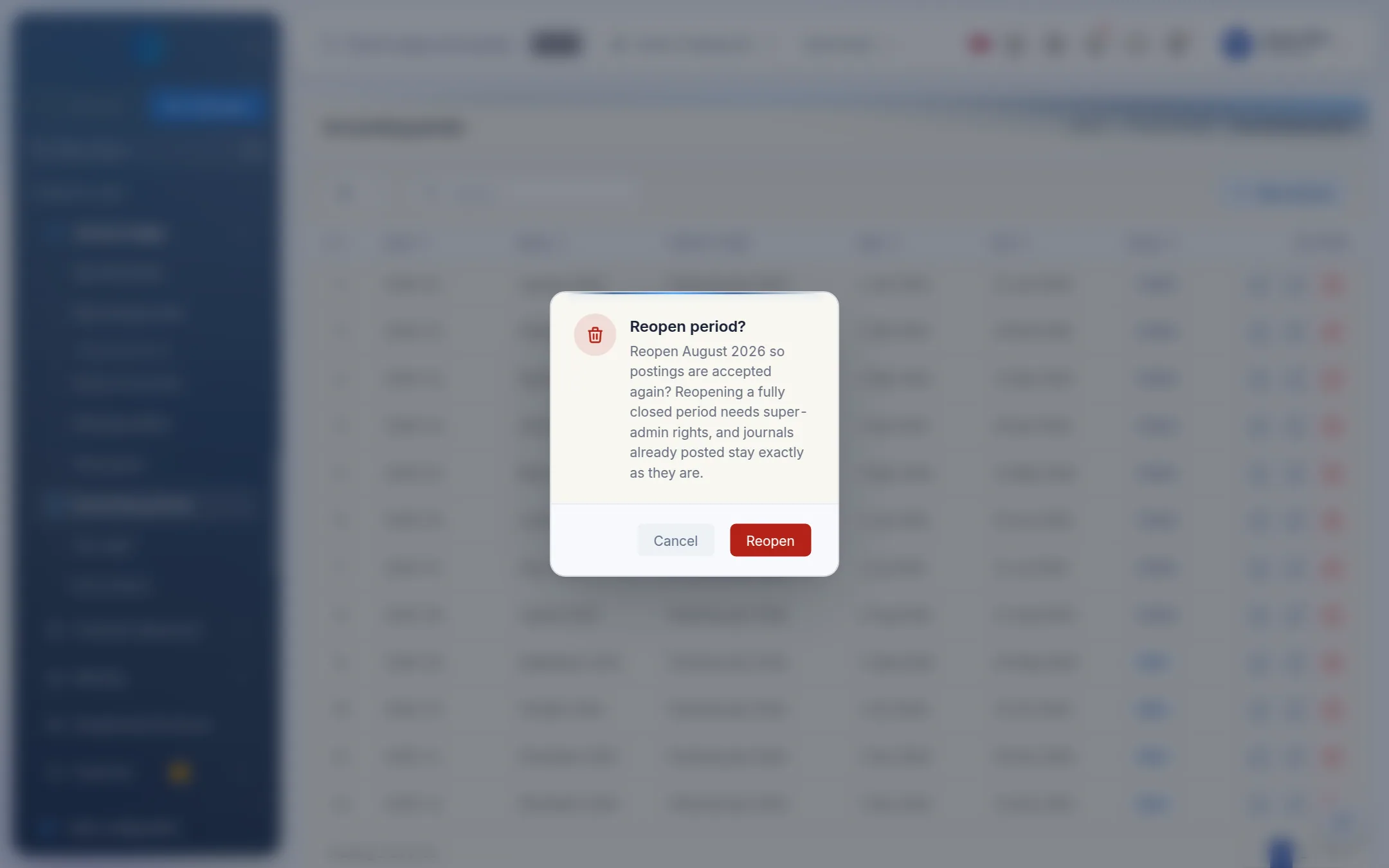
On Accounting periods, click the unlock icon, Reopen, on the period.
Confirm Reopen period? by clicking Reopen.
Post what's needed, then close the period again.
- Reopening a fully closed period needs a super admin.
- A soft-closed period can be reopened by anyone allowed to manage periods.
- Journals already posted aren't changed by reopening.
Tips and common mistakes
- Closing out of order. Close months in sequence. A gap, such as August open while September is closed, makes it easy to post into the wrong month.
- Forgetting dormant bank accounts. Every active bank account needs a reconciliation, even if nothing happened. Reconcile it with a zero difference, or make the account inactive if it's closed.
- Reopening casually. Each reopening changes figures that may already have been reported. Agree it with the finance manager first.
FAQs
Can I force a period to close despite the blockers?
Not from the screen. Resolve the blockers. An administrator with the special force-close permission can override them, but it's best avoided.
Does closing December close the year?
No. Each period is closed on its own, and there's no separate year-end process. Close all twelve periods, then set the fiscal year's status to Closed for your records.