
Appearance
Bank reconciliation
A bank reconciliation proves that your books agree with the bank. You match each line on the bank statement to the entry in your books that recorded it, then explain whatever is left over. Every active bank account needs an approved reconciliation before its accounting period can be closed.
Open Finance & ERP › Banking › Bank reconciliations.
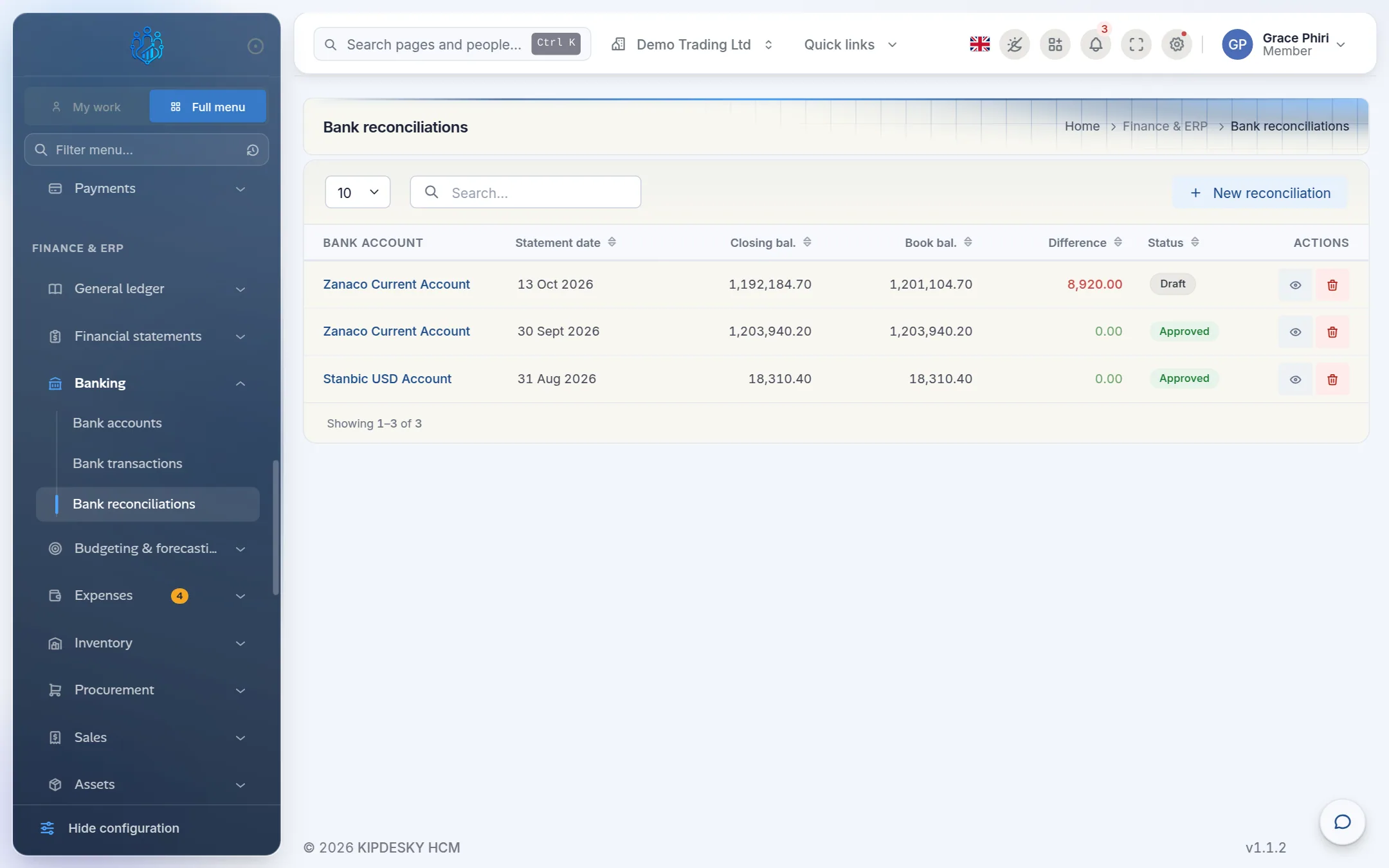
The list shows each reconciliation's statement date, closing balance, book balance and Difference. The difference shows green at zero and red otherwise.
How it works
Kipdesky puts two lists side by side:
- Statement lines. The bank's view, recorded or imported under Bank transactions.
- Ledger entries. Your books' view: posted journal lines on the bank's GL account, such as receipts, supplier payments, salaries and bank charges.
A statement line and a ledger entry match when they're for exactly the same amount. Whatever is left unmatched explains the difference between the bank balance and the book balance.
| Status | Meaning |
|---|---|
| Draft | Being worked on. |
| Submitted | Finished by the preparer and waiting for review. |
| Approved | Reviewed and accepted. It's locked and counts towards closing the period. |
| Cancelled | Abandoned. Kept for the record only. |
Before you start
- Record or import the statement lines for the period. See Bank transactions.
- Post the journals the bank side needs, such as receipts, payments and bank charges. Only posted entries appear on the ledger side.
- Make sure the bank account is linked to its GL account.
Reconcile a bank account
1. Start the reconciliation
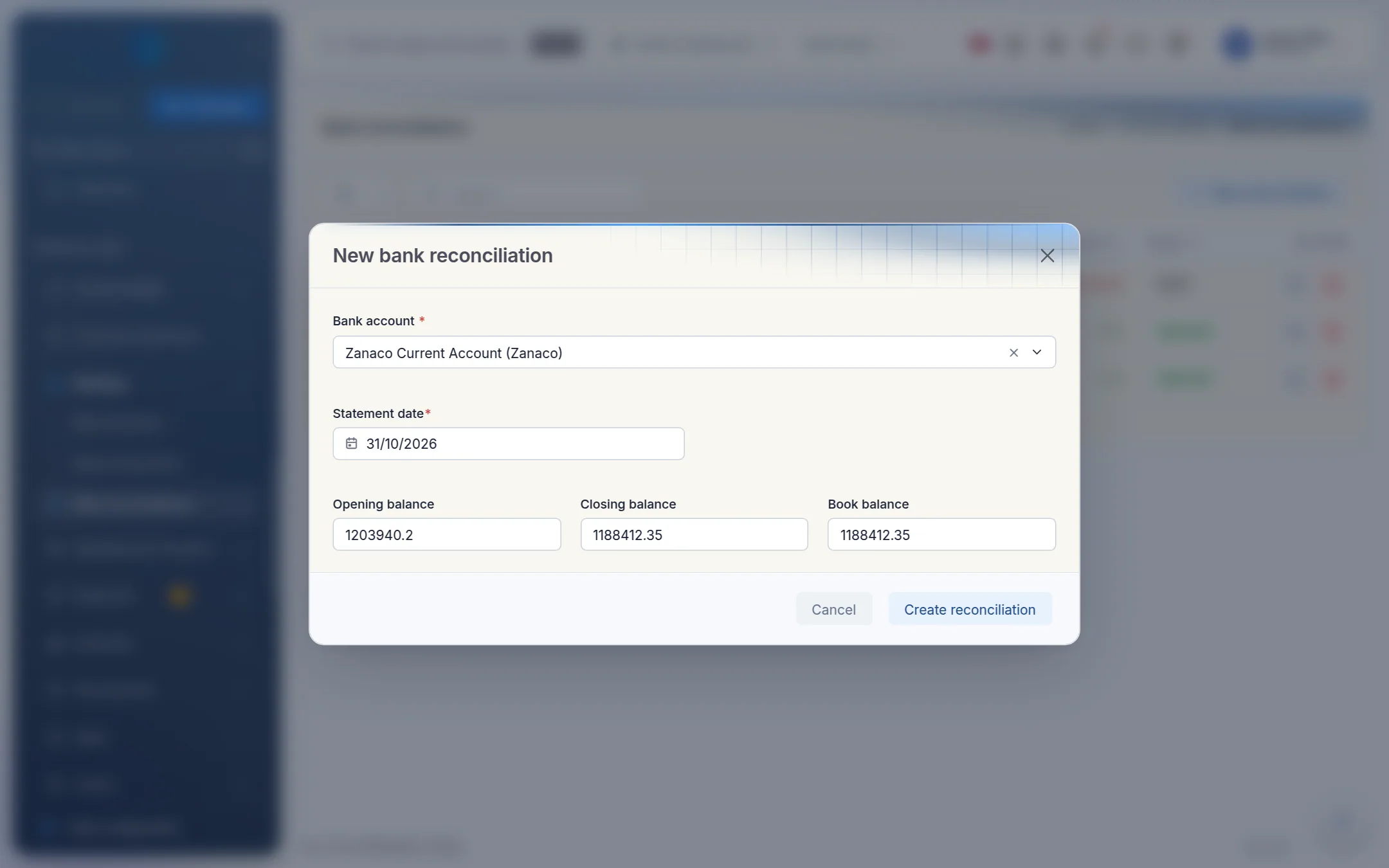
Click New reconciliation.
Enter:
- Bank account
- Statement date: the date of the bank statement, usually the last day of the month
- Opening balance and Closing balance: from the bank statement. Enter overdrawn balances as negative numbers.
- Book balance: you can leave this as 0 and use the ledger figure on the next screen.
Click Create reconciliation. It opens as a draft.
2. Use the ledger balance
The reconciliation page shows the balances across the top. Book balance (from ledger) is what your books say the bank held on the statement date. If it differs from the book balance you entered, click Use this balance.
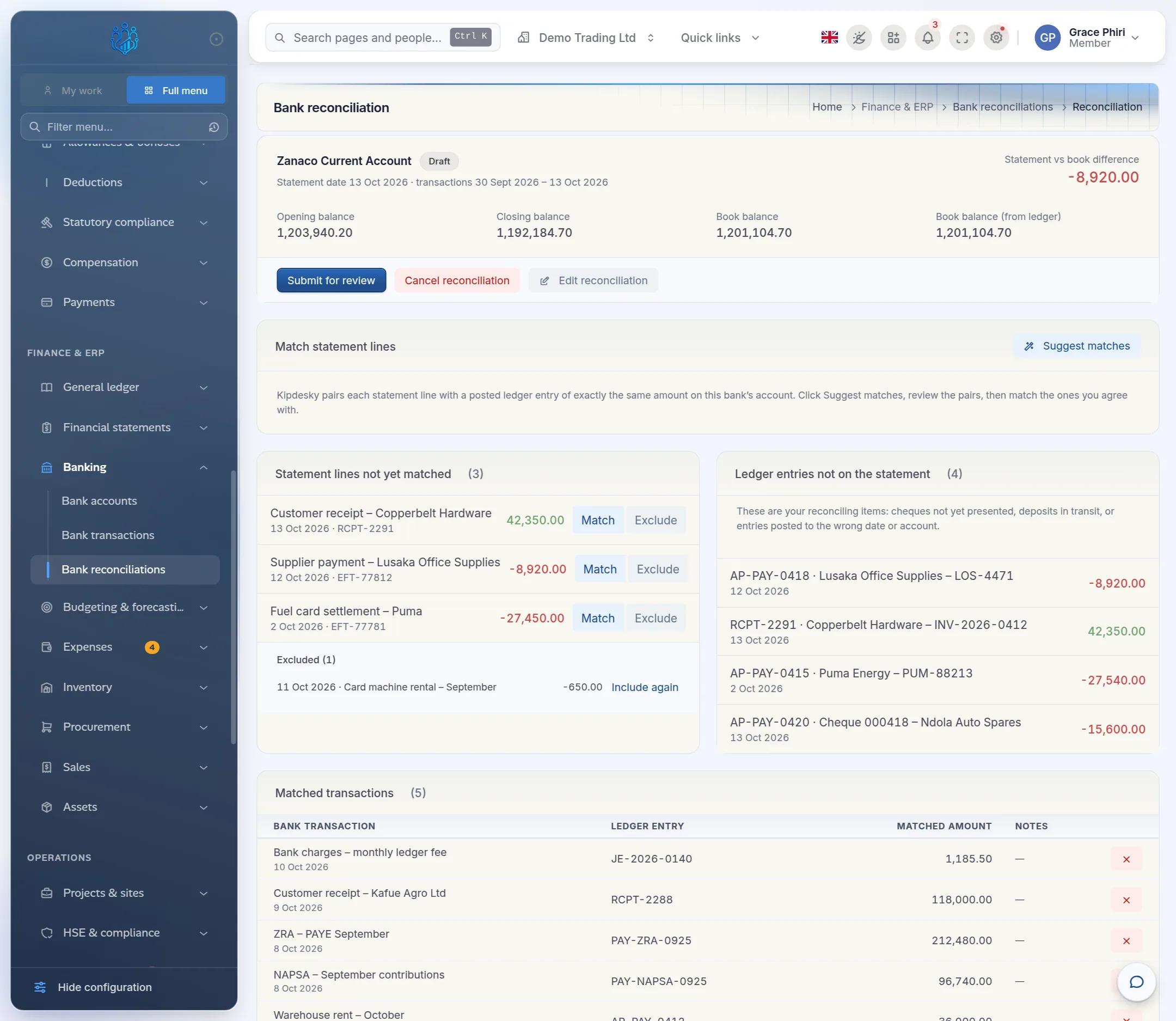
The page covers the statement lines and ledger entries dated between the previous reconciliation and this statement date. The range is shown under the account name.
3. Match automatically
Under Match statement lines, click Suggest matches.
Kipdesky lists pairs of statement lines and ledger entries with the same amount. Each pair has a Confidence:
- High: the amount, date and reference all agree.
- Medium: the amount and date agree.
- Low: only the amount agrees.
High and medium pairs are ticked for you.
Untick any pair that isn't right, then click Match selected.
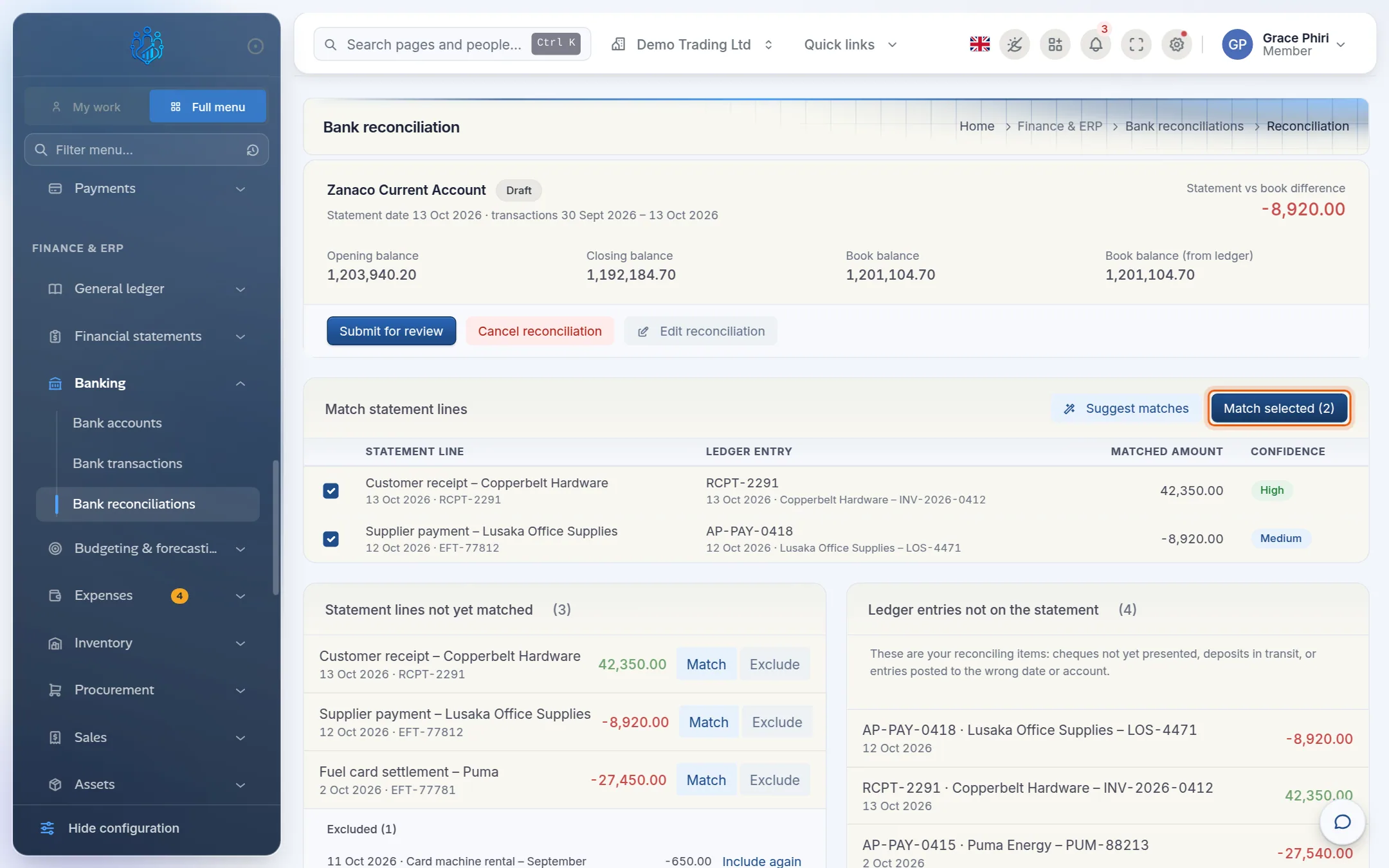
The matched lines move to Matched transactions at the bottom of the page.
4. Match the rest by hand
Lines that weren't suggested stay under Statement lines not yet matched.
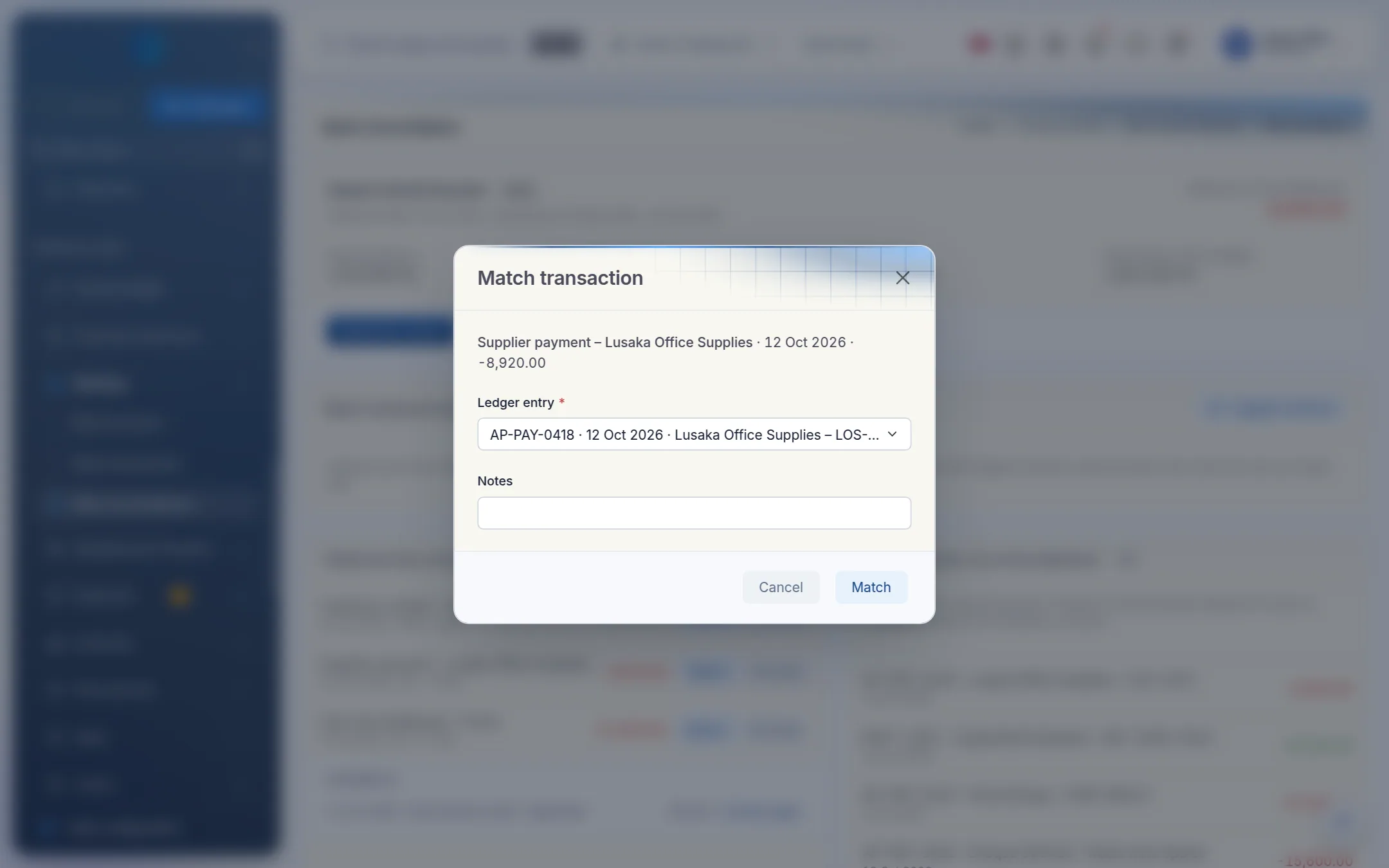
Click Match on the statement line.
Choose the Ledger entry it belongs to. Only ledger entries with exactly the same amount are offered.
Add a note if it's useful, then click Match.
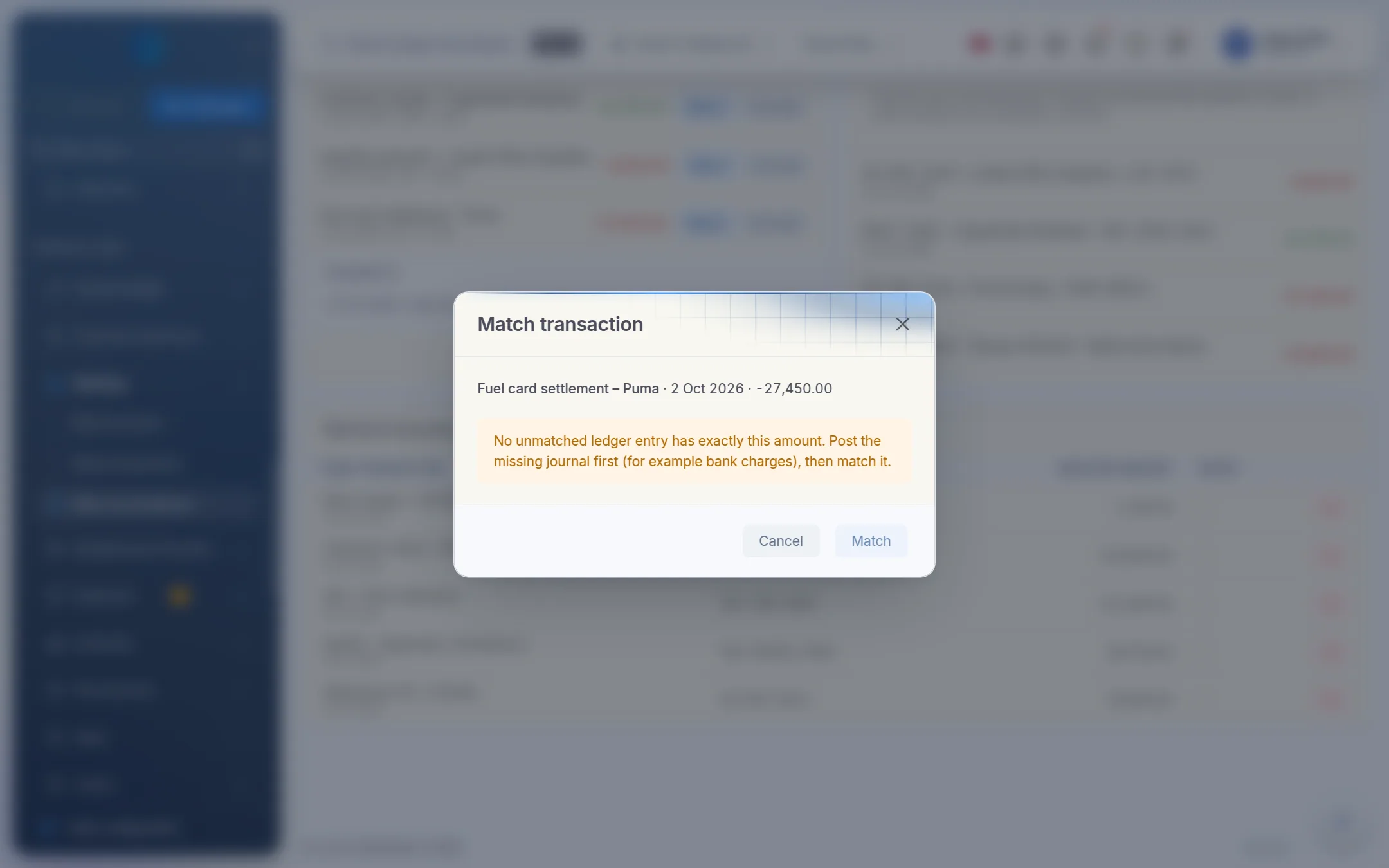
If Kipdesky says "No unmatched ledger entry has exactly this amount", the books and the bank disagree about that item. Look for one of these:
- The entry was never posted. Bank charges, interest and direct debits are often missing. Post a journal for them, then match.
- The amount was keyed wrongly. In the example below, the fuel payment is 27,450.00 on the statement but 27,540.00 in the books. Reverse and repost the wrong entry with the right amount.
5. Exclude what can't be matched yet
To set a statement line aside, such as a fee you'll journal later or a duplicate line in the bank's export, click Exclude and give a reason.
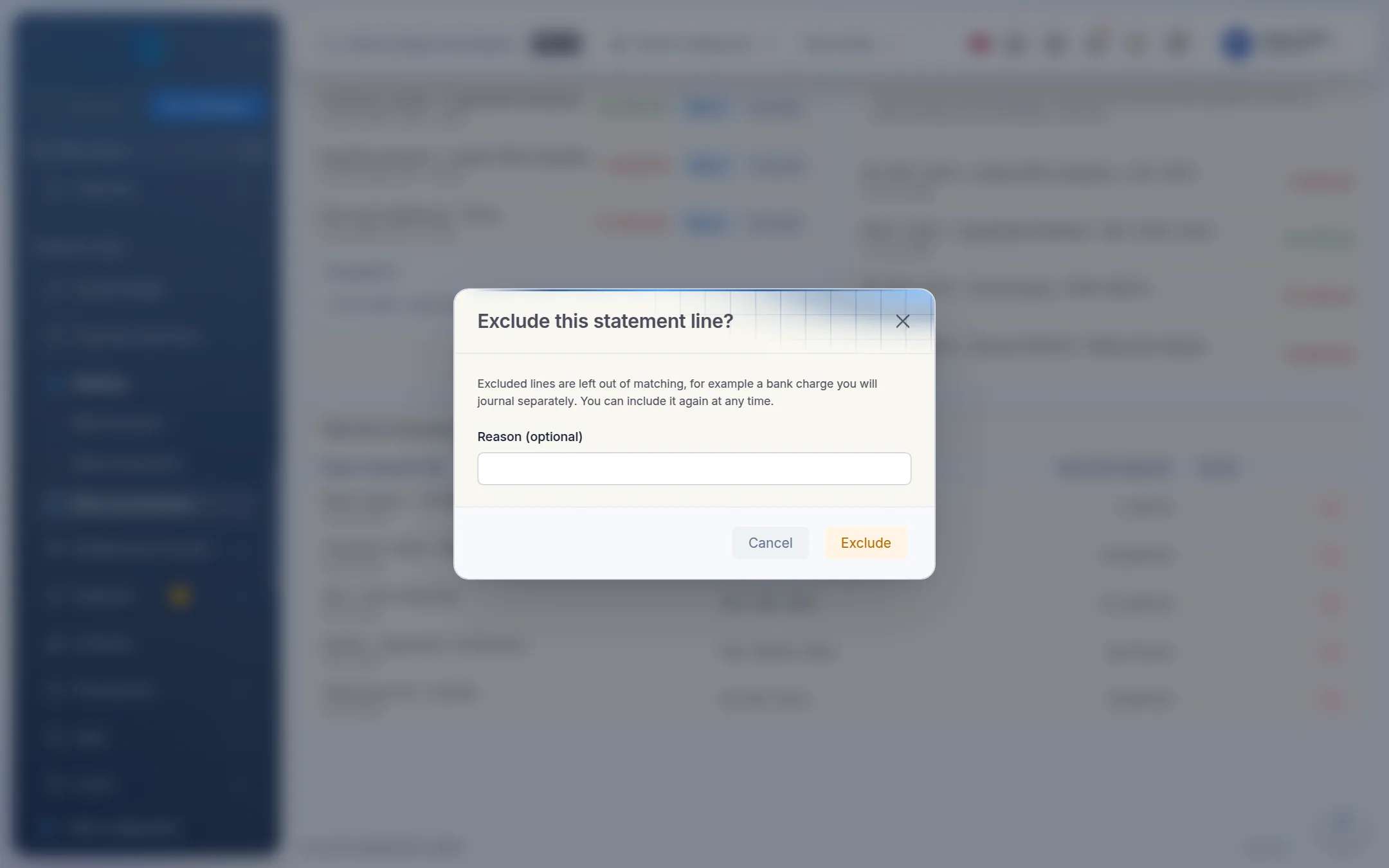
Excluded lines are listed under the statement lines. Click Include again to put one back.
6. Check the reconciling items
Ledger entries not on the statement are your reconciling items: things in your books that the bank hadn't processed by the statement date. Typical examples:
- Cheques not yet presented, such as cheque 000418 in the example
- Deposits in transit: banked on the last day, credited by the bank the next
- Entries posted to the wrong date or account
Cheques and deposits in transit clear on next month's statement. Wrong entries need correcting with a journal.
7. Submit and approve
When every line is matched, excluded or explained, the preparer clicks Submit for review.
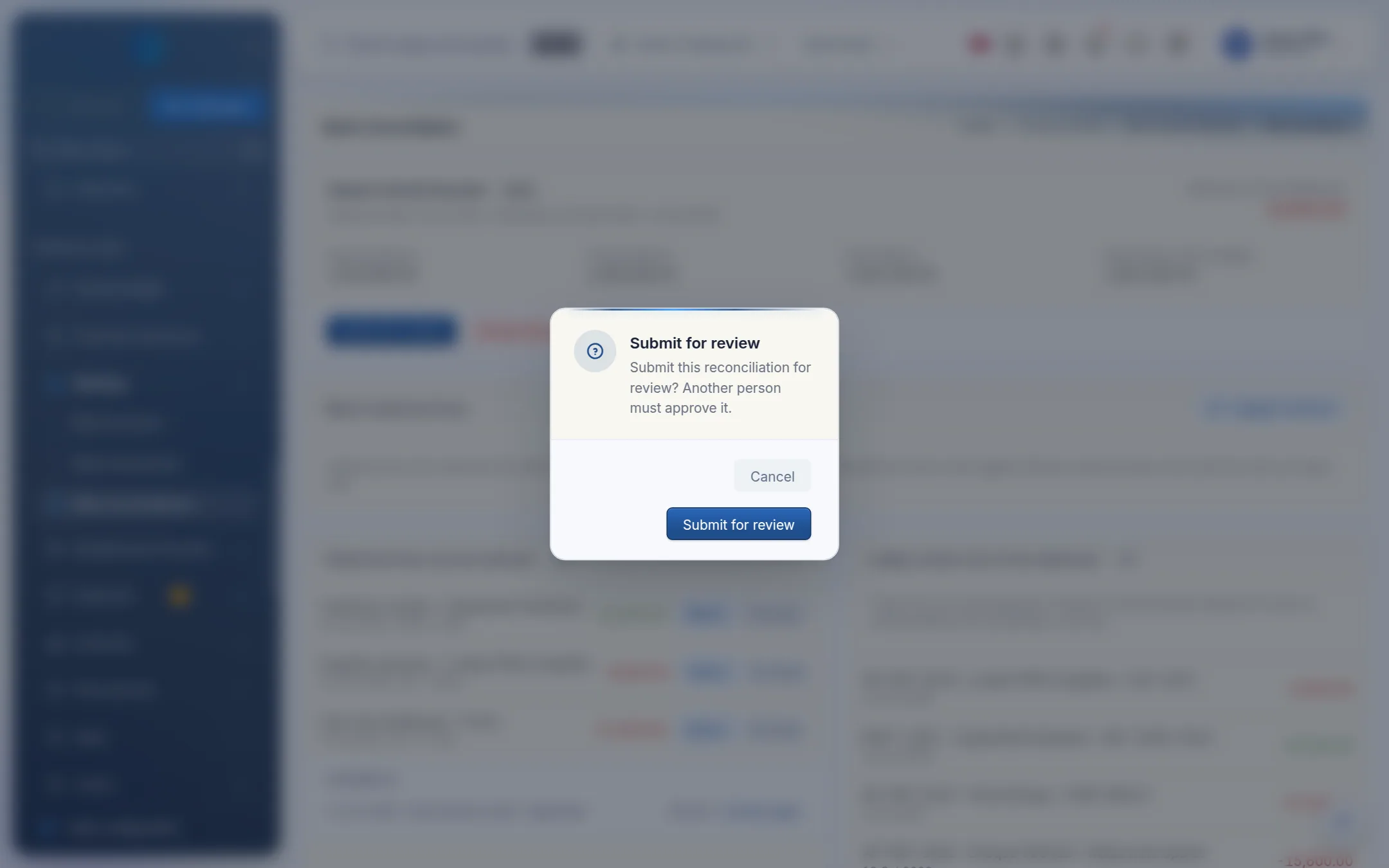
A different person opens the reconciliation, checks the matches, the reconciling items and the difference, then clicks Approve. The preparer can't approve their own reconciliation. Kipdesky refuses with "You cannot approve a bank reconciliation you prepared yourself."
Once approved, the reconciliation is locked: "Locked — reconciliation has been approved or cancelled. Create a new one for the next statement." To change something before approval, the reviewer clicks Return to draft.
Tips and common mistakes
- Reconciling only at year end. Reconcile every month. Differences are far easier to trace while the month is fresh.
- Unposted journals. Draft and approved journals don't appear on the ledger side. Post them first.
- Excluding to make the difference go away. Exclude only lines you'll deal with separately, and always give the reason. The reviewer sees it.
- Approving with an unexplained difference. A difference caused by uncashed cheques or deposits in transit is normal. An unexplained one isn't. Find it before you approve.
- Forgetting an account. Every active bank account needs an approved reconciliation covering the period end before the period can close, even if nothing happened.
FAQs
I need to change an approved reconciliation.
You can't. Approved reconciliations are final. Make the correction in the next statement's reconciliation and note why.
I matched the wrong pair. How do I undo it?
Click the ✕ on the line under Matched transactions and confirm Remove match? Both lines become unmatched again. This works until the reconciliation is approved.
Why isn't a ledger entry showing?
The ledger side only shows posted journal lines on the bank's own GL account, dated within the reconciliation's range. Check the entry is posted, uses the right account (for example 1000 Zanaco Current Account), and isn't dated after the statement date.
Why is the "book balance from ledger" different from the trial balance?
They should agree for the same date. If they don't, check that the trial balance is filtered to the statement date and that the bank account is linked to the right GL account.
Can I reconcile an overdrawn account?
Yes. Enter the overdrawn opening and closing balances as negative numbers.