
Appearance
Bank accounts
Add every bank account your company uses: current accounts, payroll accounts and foreign-currency accounts. Bank transactions and reconciliations are recorded against these accounts. Linking each one to its general ledger account lets the cash flow statement work out how cash moved.
Open Finance & ERP › Banking › Bank accounts.
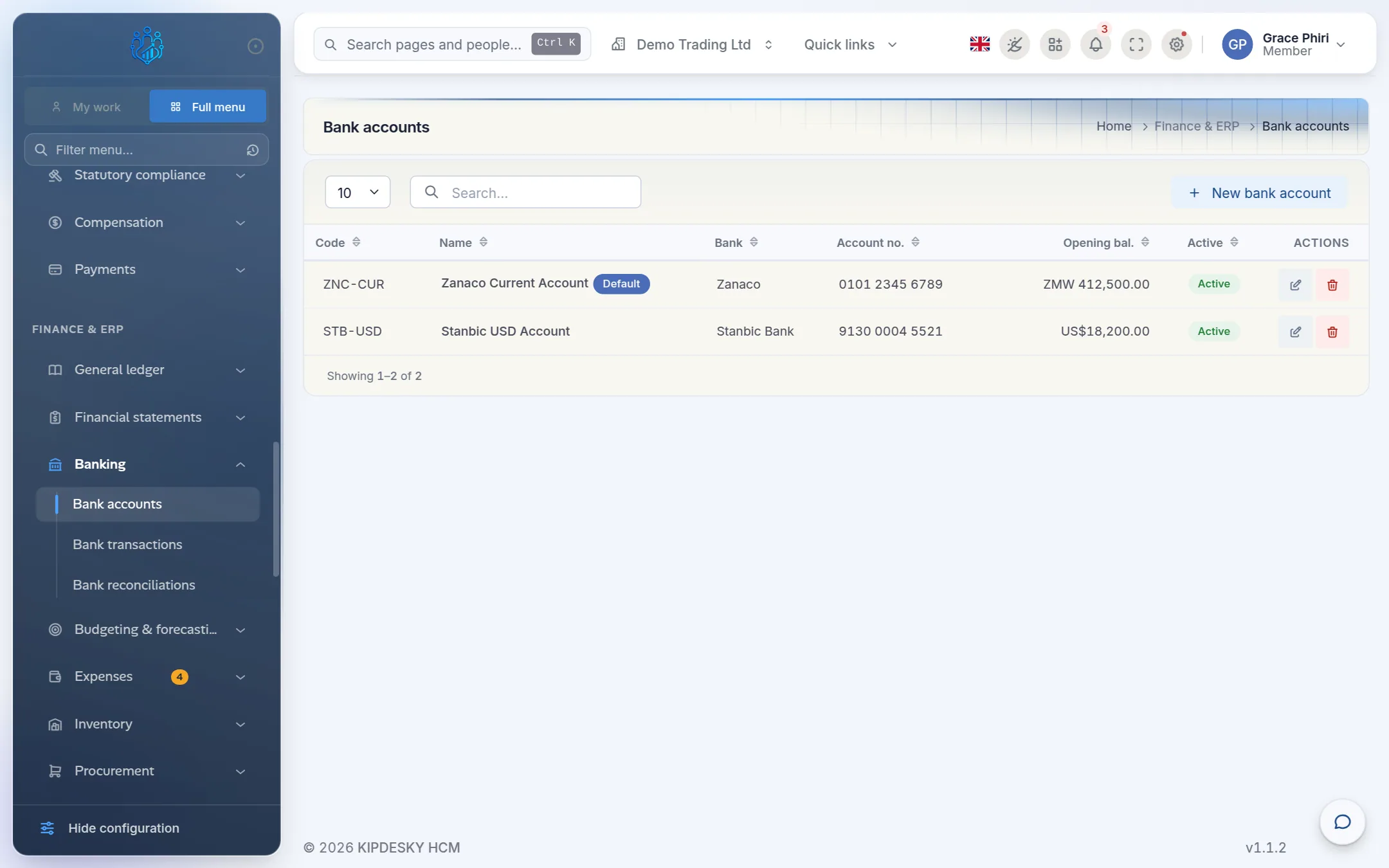
Add a bank account
Click New bank account.
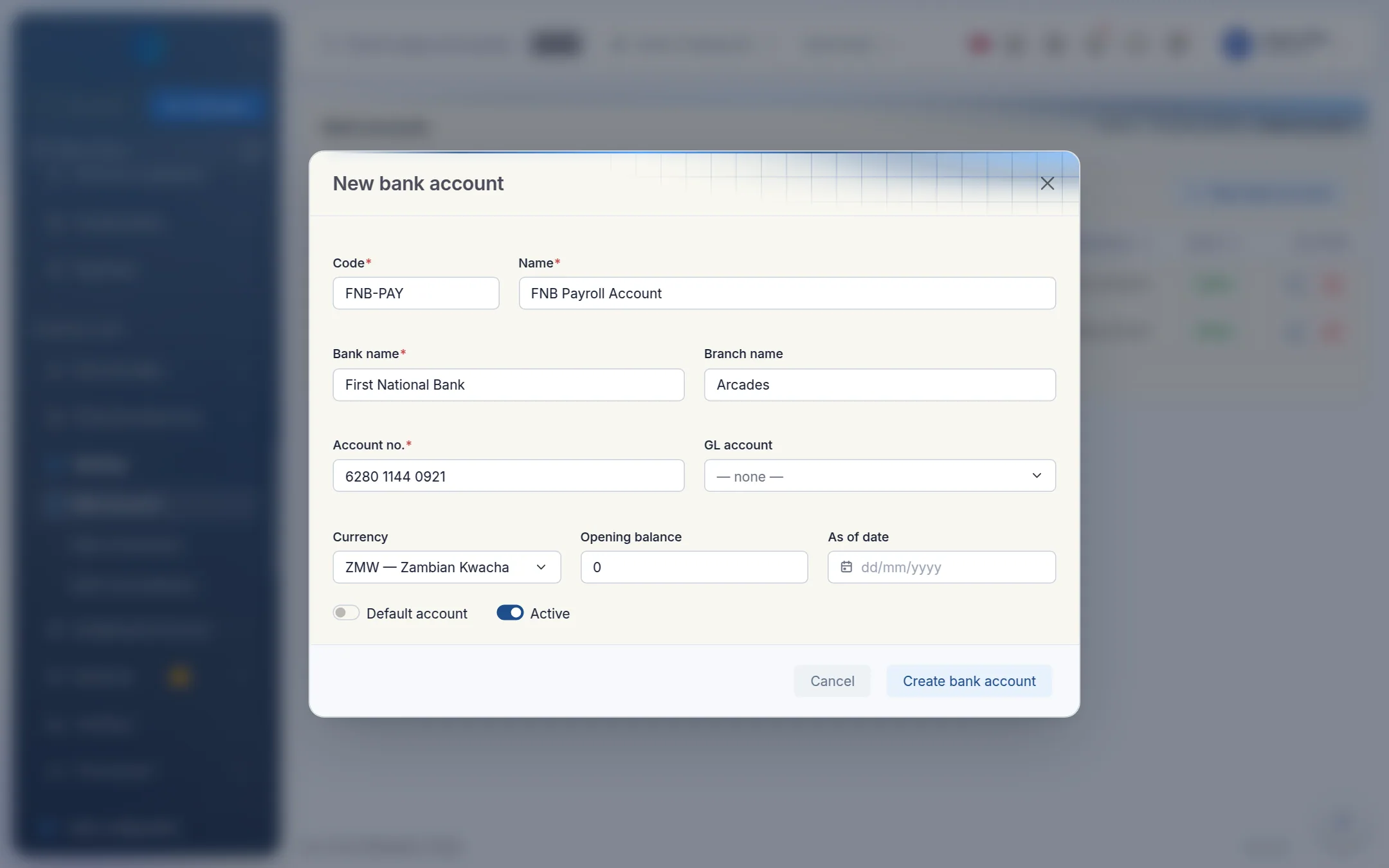
Enter the account details:
- Code: a short code, for example
FNB-PAY. It can't be changed later. - Name: the name you'll recognise, for example FNB Payroll Account.
- Bank name and Branch name.
- Account no.: the account number exactly as the bank shows it.
- Code: a short code, for example
Link it to the ledger:
- GL account: the asset account in your chart of accounts that holds this bank's balance, for example 1000 Zanaco Current Account.
- Currency: the account's currency.
Enter the starting position:
- Opening balance: the balance on your first day in Kipdesky. Enter a negative number if the account was overdrawn.
- As of date: the date of that balance.
Switch on Default account if this is your main account, leave Active on, and click Create bank account.
Always link a GL account
If no bank account is linked to a GL account, the cash flow statement has nothing to treat as cash. It shows "No bank account is linked to a GL account".
Tips and common mistakes
- One GL account per bank account. Give each bank account its own ledger account, so reconciliations and the cash flow statement stay clear.
- Opening balance doesn't match the ledger. The opening balance here is for reference and reconciliation. Your general ledger also needs the same opening balance, posted as a journal.
- Deleting an account with history. You can't delete a bank account that has approved reconciliations. Switch off Active instead.
FAQs
Can I connect Kipdesky directly to my bank?
Not at the moment. Record bank transactions yourself, as described in Bank transactions.
We have a US dollar account. How do I set it up?
Add it like any other account and choose USD as the currency, with a USD ledger account as its GL account.